Why Your Reels and TikToks Keep Flopping (And the Fix)
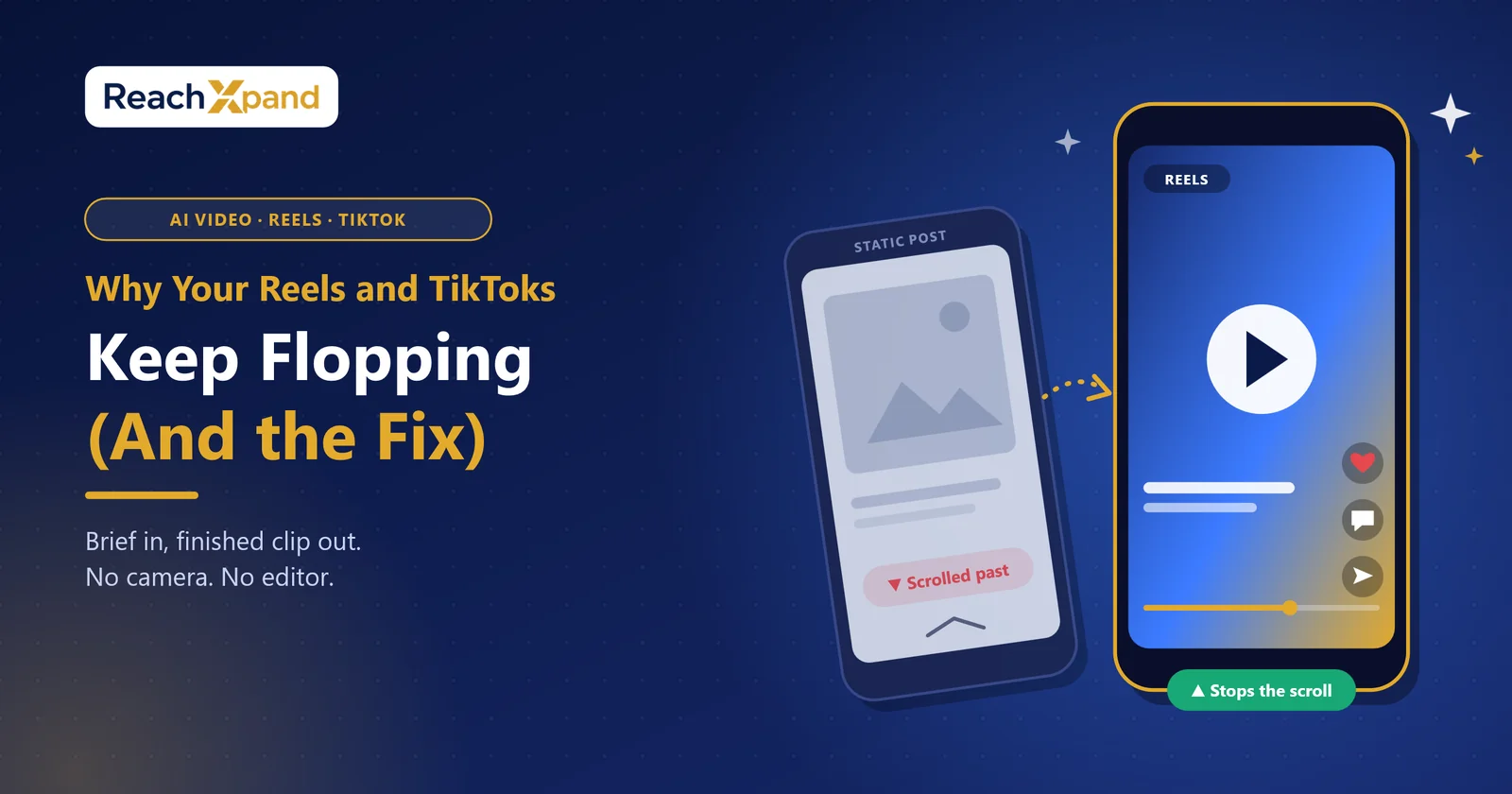
Static posts get scrolled past in under a second. Video stops the scroll, but only if it's fast, specific, and built for the platform it lands on. AI video generation fixes the real bottleneck: most businesses can't produce good enough video, fast enough. Brief in, finished clip out, no camera, no editor, no bottleneck.
Your last five Reels got buried. Your TikTok views flatlined. You're not doing anything wrong; you just hit the wall every small business hit: video takes time, skill, and equipment you don't have spare hours to learn. So, you post another static graphic instead. And it underperforms too.
Here's the part nobody tells you: the algorithm isn't punishing your brand. It's punishing the format. Static images are easy to scroll past. Video forces a decision: watch or swipe, and that decision is where engagement lives. Not sure how your posts really compare? Our Instagram engagement rate calculator checks them against accounts your size.
This post breaks down why video beats static posts for attention, how AI closes the gap between "we should post more video" and actually doing it, and what the brief-to-render process looks like in practice.
Why do Reels and TikToks underperform even when you post consistently?
Consistency isn't the problem. Format is.
Static posts ask for nothing. A scroller's eye catches the image, registers it in a fraction of a second, and keeps moving. There's no reason to pause. Video works differently; it demands a moment of attention before the viewer can even judge whether to keep watching. That moment is your opening. Lose it, and the post dies in the feed. Win it, and the platform rewards you with more reach, because watch time is the signal every one of these algorithms is built around.
Most businesses post static content not because it performs better, but because it's faster to make. One photo, one caption, done. Video needs a script, a shoot, an edit, captions, and a render, and most small teams don't have a person whose job is "make video every week." So video gets skipped, and the feed fills with the format that's easiest to produce, not the one that performs.
Why does video beat static posts for attention?
Video wins because it holds attention instead of asking for it.
A static image is consumed instantly and judged in a glance. Video unfolds; it has a beginning, a middle, a payoff. That structure keeps a viewer watching past the first second, and every additional second of watch time tells the platform this content is worth showing to more people. Reels, Shorts, and TikTok all rank watch time and completion rate above likes and shares. Static posts can't compete on that metric because there's nothing to "finish."
Movement also does something a photo can't: it demonstrates. A product photo shows what something looks like. A fifteen-second clip shows how it works, what it sounds like, how it feels to use. For a business trying to convert a scroll into a sale, that difference is the whole game.
What does the brief-to-render process for AI video actually look like?
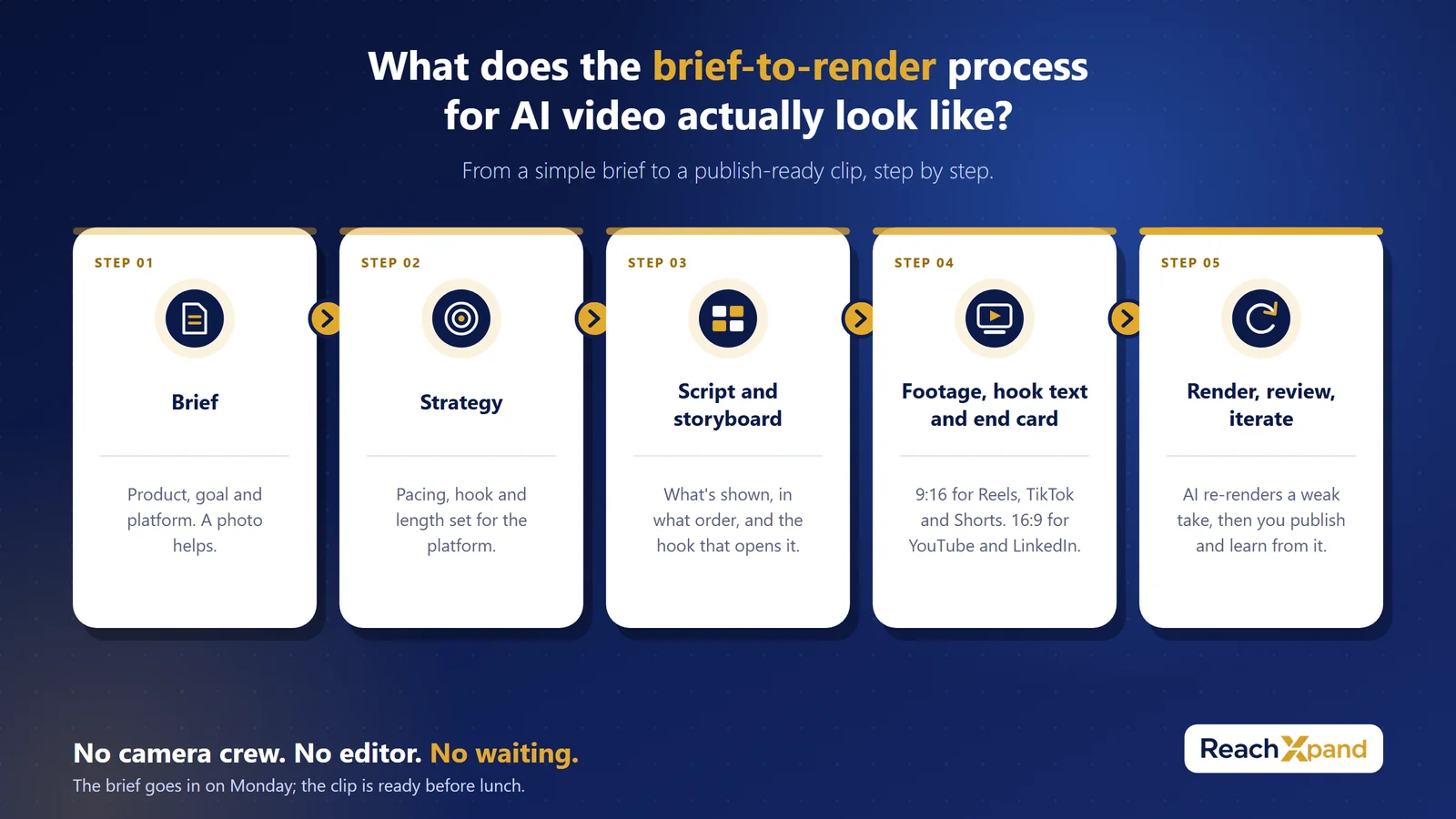
Five steps, no production crew.
- Brief. You give the AI the basics: the product, the goal, the platform. A photo helps. The AI doesn't need a shot list from you; it needs to know what you're selling and who you're selling it to.
- Strategy. Before a single frame is planned, the AI picks an approach suited to your business and the platform it's posting to. A vertical TikTok teaser and a widescreen YouTube clip need different framing, different pacing, different hooks; this step decides which one you're making.
- Script and storyboard. The AI writes the beats: what's shown, in what order, and the hook that opens it. This is the step that used to require a scriptwriter and a storyboard artist sitting in a room together. Now it happens in the brief-to-render pipeline, shaped by your brand's own voice and offer.
- Footage, sound, and on-screen text. The storyboard becomes footage with natural sound, a short hook on screen in the opening seconds, and a branded end card with your logo, headline, and call to action. Vertical nine-by-sixteen for Reels, TikTok, and Shorts. Widescreen for YouTube and LinkedIn. The hook sits on screen, so the clip still works for viewers who watch with the sound off. Want a voice-over? Write the narrator's lines into the brief.
- Render, review, iterate. The AI checks each clip against the storyboard before you see it, and re-renders a weak take. The finished clip comes out ready to publish. Post it, watch how it performs, and feed what worked back into the next brief. Video improves the same way any content does, through repetition, not perfection on the first try.
No camera crew. No editor. No week lost waiting on a freelancer's calendar. The brief goes in on Monday; the clip is ready before lunch.
Why does this matter more than just "posting more video"?
Because the bottleneck was never your strategy. It was production.
Every small business owner already knows video outperforms static posts. That's not news. What's been missing is a way to produce video at the pace social platforms demand, weekly, sometimes daily, without hiring a videographer or learning to edit. AI video generation removes that bottleneck entirely. You're not trading quality for speed. You're getting both, because the AI handles the parts that used to eat your whole afternoon: scripting, shooting, editing, formatting.
That means video stops being the thing you'll "get to eventually" and starts being the thing that goes out every week, right alongside your regular posts, built from the same brand profile, so it sounds and looks like you, not a stock template.
Stop skipping video because it takes too long
Video wasn't underperforming your brand. The format was never the problem, access to it was. AI video generation closes that gap: brief in, strategy applied, storyboard written, footage rendered, hook and end card added, ready for Reels, TikTok, Shorts, or YouTube, all from a product photo and a few lines about your business.
If your feed has been static-only because video felt like too much work, that excuse is gone. Give it a brief. Get a finished clip. Post it this week.
Frequently Asked Questions
How much does AI video generation cost compared to hiring a videographer?
AI video tools typically run on a subscription, often bundled with social media management features, which costs far less than a freelance videographer charged per project. The ongoing nature of the subscription also makes weekly video realistic, where a freelancer relationship usually isn't.
How long does it take to go from brief to a finished video?
Because the process is automated end-to-end, strategy, script, footage, on-screen text, and render, a finished clip can be ready the same day the brief is submitted, with no waiting on a production schedule.
Is AI-generated video good enough for Reels, TikTok, and YouTube Shorts specifically?
Choose AI video if you need platform-correct formatting without manual resizing, the output is generated in the right aspect ratio and pacing for each destination, whether that's vertical nine-by-sixteen for Reels and TikTok or widescreen for YouTube.
What are the risks of relying on AI for video content?
The main risk is generic output that doesn't sound like your brand. Choose a tool built around your own brand profile, your tone, offer, and visuals, over a generic template generator if brand consistency matters more than raw speed.
Who should still use static posts instead of video?
Static posts still work for quick announcements, price updates, or simple text-based offers where there's nothing to demonstrate. Choose video when you have a product, process, or result worth showing in motion, choose static when the message is purely informational.
You do not have to do this by hand
ReachXpand learns your business from your website, then plans, writes, designs and publishes the posts — and answers the customers they bring in.
Start for freeRead next
Real Results: How Small Businesses Use AI Social Media Tools
See how small businesses use AI social media automation, real time saved, honest limits, and how to measure your own results.
How AI Learns Your Brand Voice (And Why That Matters)
Discover how AI social media tools learn your tone, colours, and messaging to keep your brand consistent, without hiring and retraining freelancers.
One Brand Profile, Every Platform Covered
Stop copy-pasting the same post everywhere. See how one Brand Profile lets AI write platform-specific content for Instagram, LinkedIn, and X.
Free tools you can use
Instagram Engagement Rate Calculator
Enter your followers, likes and comments to get your engagement rate — and whether it is good for an account your size.
Open the toolSocial Media Image Size Guide
Exact pixel dimensions and aspect ratios for feed posts, portraits, landscapes and Stories on every major platform.
Open the toolCaption Length Checker
Paste one caption and see the limit, the character count and the exact point each platform truncates it with a "more" link.
Open the toolSocial Media Content Calendar Generator
A month of posts planned in one click: real ideas for your trade, balanced so the feed is not all selling.
Open the toolSocial Media Cost Calculator
Agency retainer, freelancer or your own hours — see the true monthly cost and what each post works out at.
Open the tool